Everything ared does
One app for the whole sale: register, payments, i.EKA receipts, kitchen display and Backoffice for shops, cafés, bars and restaurants. Anything without a tag works from the day we set you up; a tag shows when the rest arrives. i.EKA certification underway (September 2026); onboarding our first customers from November 2026.
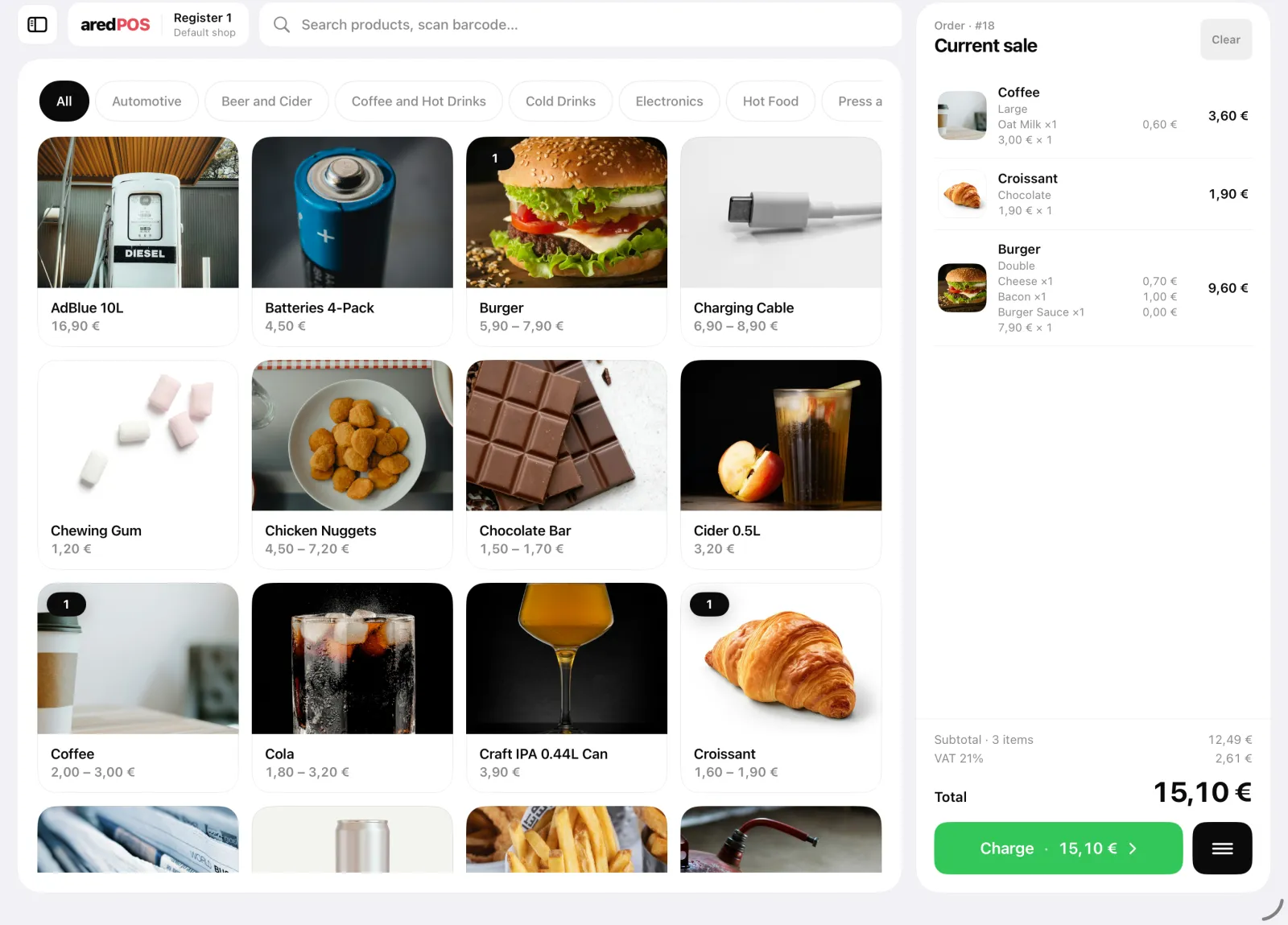
A register that keeps up at rush hour
A clear product grid you can read from across the counter. Tap a product, adjust the quantity and take the payment in seconds.
- Search and scanning. Find a product or scan a barcode without leaving the bill.
- Categories, variants and add-ons. Sizes, milk types and paid extras are taxed correctly, with unlimited products and categories.
- Discounts. A fixed amount or a percentage, on one item or the whole bill, with a reason attached.
- Roles and permissions. Cashiers and managers see and do only what they’re allowed to.
Age checks, product descriptions and gallery, label printing On request
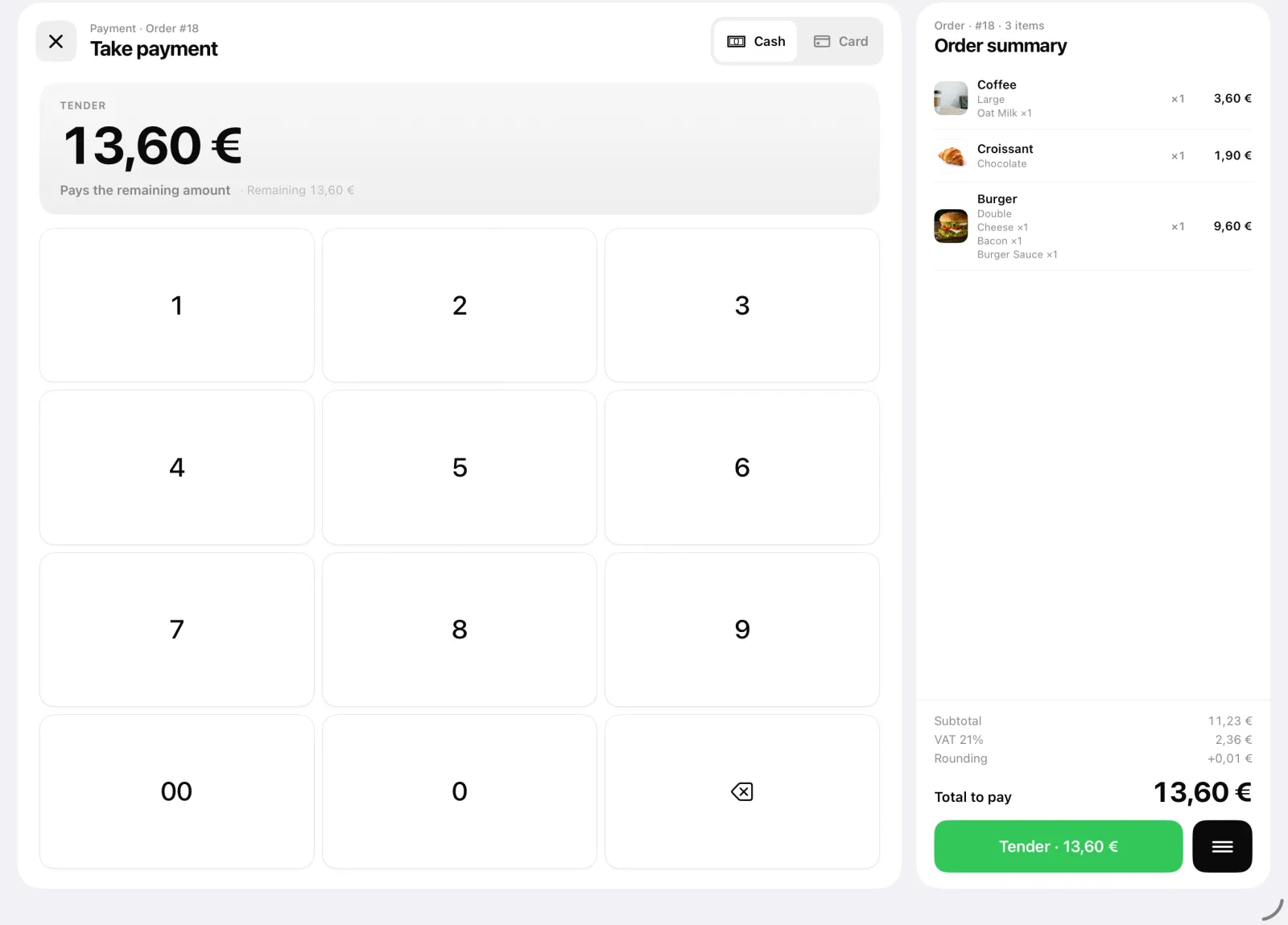
Cash, card or iPhone on one screen
A change calculator for cash, contactless by terminal or right on the phone. Every payment ends with a fiscalized receipt.
- Adyen and SumUp. Adyen over Wi-Fi and SumUp over Bluetooth work out of the box, and a connected cash drawer opens by itself.
- Tap to Pay on iPhone. Contactless card payments with just a phone, no terminal, right at the table.
- Split bills. Evenly, by guest or by item, with a separate fiscal receipt for each part. Park a bill and come back to it later.
- Rounding and deposits. Cash totals round to the nearest 5 cents, and packaging deposits are added and refunded automatically.
Payment by invoice or loyalty points, weighed items, other currencies On request
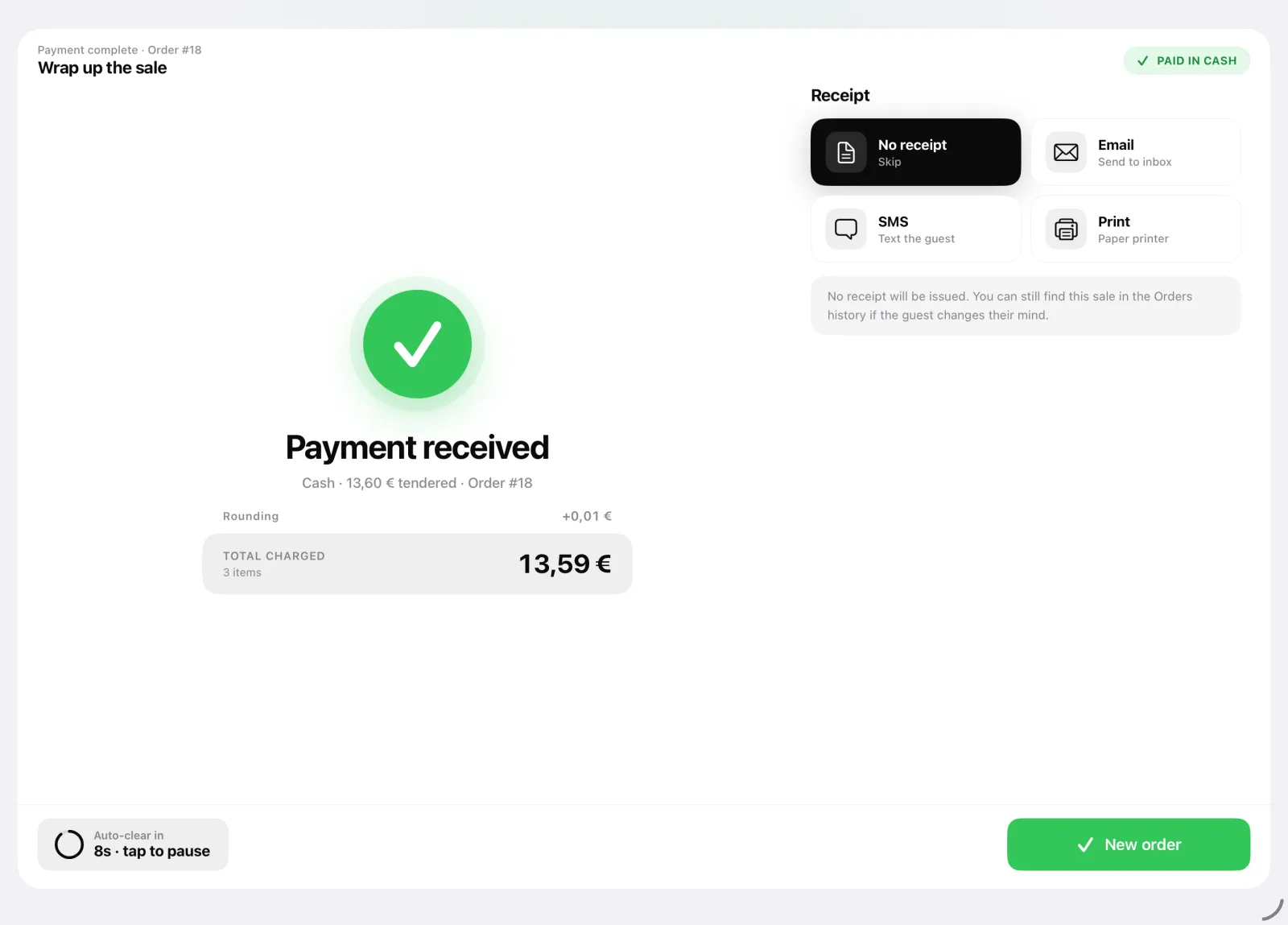
Every sale signed by VMI
ared connects straight to i.EKA: this is virtual fiscalization, so you don’t need a separate cash register or fiscal printer. Certification is underway now.
- Signed in real time. Sales, refunds and voids come back from VMI with a fiscal signature and a QR code.
- E-receipt, SMS or paper. Print the receipt or send it by email or SMS, with your logo and text. SMS also keeps customers posted on their order status.
- X and Z reports at the register. Run them on the register and browse the full history. The electronic cash register journal is kept for you automatically.
Offline mode with the Saugos modulis Q3 2027 A €12/month add-on; it needs its own separate VMI certification.
Sample
Refunds in a few taps
Find any past order in the orders list: refund all of it or single items, void the receipt or send it again.
- Refunds and voids. Each carries its own fiscal reference, so your books match VMI’s records.
- Money and item refunds. For the whole order or for individual items.
- The receipt, again. Reprint any receipt or send it again by email or SMS.
A kitchen display instead of paper tickets
The Kitchen Display System (KDS) for your kitchen or bar is included in the price. Orders appear the moment they’re sent from the register, with course sequencing and “ready” marks.
- One board for every order. Your own dine-in sales plus orders from Wolt, Bolt Food and other external systems.
- Ready for part or all of an order. Mark single dishes or the whole order; “preparing” and “ready” counts show on a wall screen.
- Open tabs. Open a tab for a table, add to it and move the order to another table before paying.
Guest ordering and pay at the table Q4 2027
Order progress on the guest’s phone On request

Orders, wherever they come from
The self-service kiosk, preorders, Wolt and Bolt Food all land in the same register and the same kitchen display.
- Self-service kiosk. Customers pick their items and pay on a separate screen, with no queue at the till and an i.EKA receipt.
- Preorders. Paid ahead or on pickup: a pizza paid online or an item reserved for pickup is handed over when the customer arrives.
- Wolt and Bolt Food. Orders from delivery platforms and other external systems appear right next to your own.

Stock, customers and loyalty
Stock levels update with every sale, and you’ll recognize your regulars at the till.
- Stock and inventory. Stock goes down with every sale, and Backoffice warns you when something is running low.
- Customers and groups. Customer profiles and groups, so you recognize regulars at checkout.
- Loyalty. Reward the customers who come back.
Promotions, vouchers and gift cards February–March 2027
Multiple stock locations and scheduled discounts On request

Works with your hardware
Adyen, SumUp and Epson work out of the box. We integrate other terminals or printers on request, usually in about two weeks.
- Adyen
- Wi-Fi terminals, including the Adyen S1F2 with a built-in receipt printer: one device for both the payment and the receipt.
- SumUp
- Bluetooth terminals, paired in a few minutes.
- Tap to Pay
- Accept cards right on an iPhone, with no separate terminal.
- Epson
- Receipt printers for the counter and the kitchen. A barcode scanner connects on its own or through the printer.
- API
- Connect your own tools and systems through the ared API.
- Other hardware On request
- Worldline, Ingenico and Star hardware, scales with label printing, and accounting software integrations.
Your whole business at a glance
Backoffice runs in the browser at backoffice.ared.lt: key figures, the catalog and every fiscal receipt in one place, in real time.
Advanced and custom reports On request
- Real-time key figures. Net sales, orders, average ticket and refunds, compared with the previous period.
- Catalog and orders. Products, photos and VAT rates; the lines, payments and VMI receipt of any sale.
- X and Z archive. Every fiscal day across all your registers, with export to CSV and PDF.

Can’t find a feature? We’ll build it.
We take feature requests all the time and update the roadmap every month. A new terminal or printer integration usually takes about two weeks, and we build bigger features around what you need.
Let’s get started
Tell us what your business does and what you need. We’ll show you ared with your own products and agree on a date to set you up.